Try it Your self

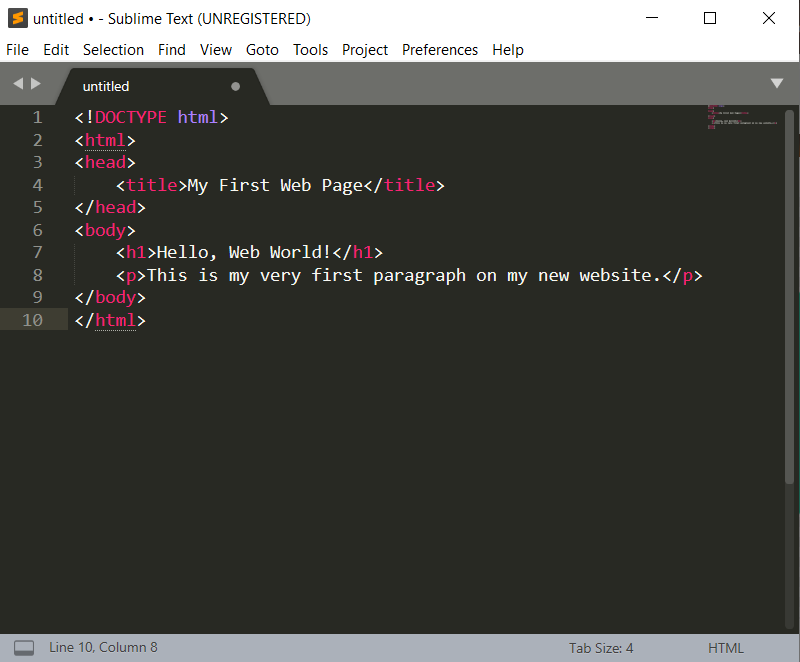
<!DOCTYPE html>
<html>
<head>
<title>My First Web Page</title>
</head>
<body>

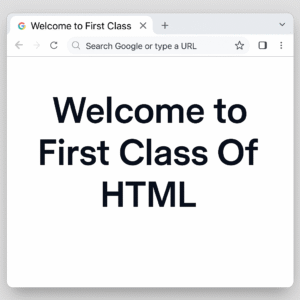
<h1>Welcome to First Class Of HTML </h1>

</body>
</html>

model no 01: what is html?

Your First Steps with HTML

Ever wondered how websites are built? The secret behind every page you see online starts with something called HTML. It’s the basic building block of the web. If you’re curious about creating your own websites, this is the perfect place to begin. We’ll guide you through the basics of HTML, from what it is to creating your very first web page!

What is HTML? (And Why Should You Care?)

Imagine a house. Before you add furniture, paint, or decorations, you need a basic structure, including walls, a roof, and rooms. HTML is just like that for a website.

HTML stands for HyperText Markup Language. It is not a programming language; it is a markup language that tells your web browser what content is on a page and how it is arranged. For example, it informs the browser: “This is a heading,” “This is a paragraph,” “This is an image,” or “This is a link.”

Why should you care? Because HTML is the foundation of all websites. If you want to build anything on the web, learning HTML is your essential first step!

Your Essential Tools: Text Editors and Browsers

Edit Template
Text Editor
Web Browser

To write a code we need a text editor, You can use simple programs like Notepad (Windows), TextEdit (Mac). But for beginner we will suggest following two Text Editors that you can use for writing an HTML code.

HTML5 codeThis is how you'll see the output of your HTML code. For this purpose we can use  Chrome, Firefox, Edge, Safari – any of these browsers. But we'll recommend you to use Chrome Browser.
Let's Create Your Very First HTML Code!

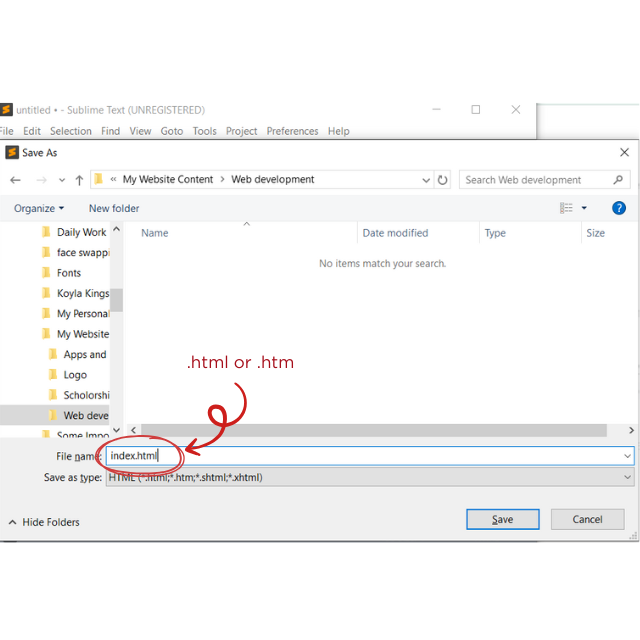
Step 1
Step 2
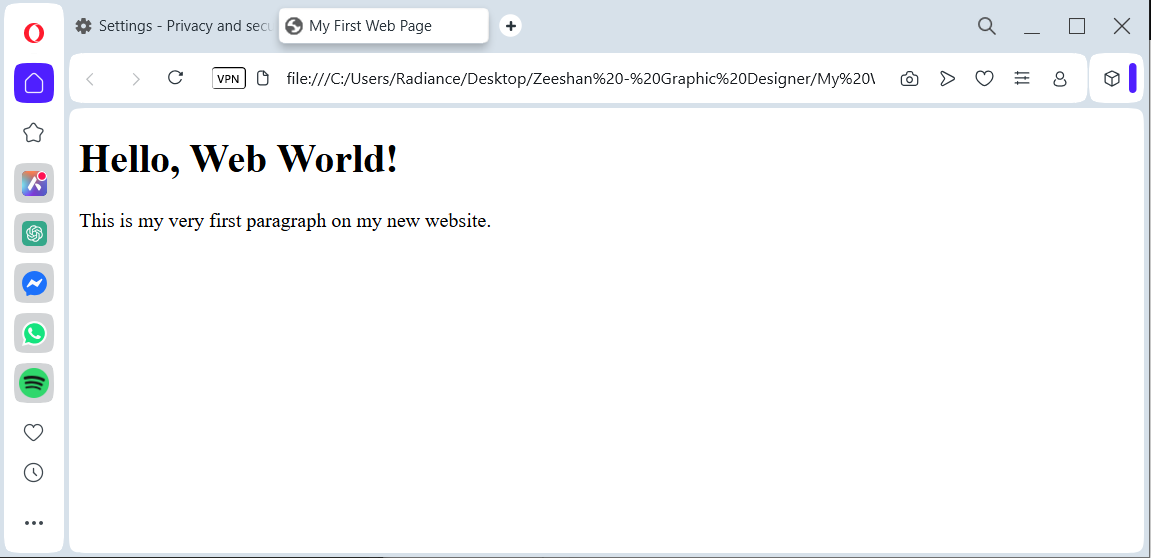
Step 3

Congratulations! You've just created and viewed your very first web page! 🎉 This is just the beginning of your exciting journey into web development. Stay tuned for more lessons on building amazing websites!

Understanding the Basic HTML Page Structure

Let’s break down the code you just wrote. Every standard HTML page has a basic “skeleton”:

<!DOCTYPE html>:

This line simply tells the browser that this is an HTML5 document (the latest version). It always goes at the very top!

<html> ... </html>:

This is the root (or main) element of your web page. Everything else on your page goes inside these <html> tags. Think of it as the boundary of your website.

<head> ... </head>:

This section holds information about the web page, but not the content you actually see.

<title>My First Web Page</title>:

The text inside <title> appears in the browser tab or window’s title bar. It’s very important for bookmarks and search engines!

<body> ... </body>:

This is the most exciting part! Everything you want to see on your web page (text, images, links, videos) goes inside the <body> tags.

<h1>Hello, Web World!</h1>:

<h1> stands for “Heading 1” – the largest and most important heading.

<p>This is my very first paragraph...</p>:

<p> stands for “paragraph.”

Remember: HTML uses “tags” like <p> and </p>. The first tag (<p>) opens the element, and the second tag (</p>) closes it. Most tags come in pairs!

Your go-to source for MCQs, test preparation, scholarship updates, and quality educational resources. Get ready for competitive exams, job tests, and interviews with our complete study materials. We also offer ready-made CV templates, along with professional web development and graphic designing services, to help you succeed in both academics and career growth. Stay ahead in your journey with us!

© All right reserved by Zeeaspire

Day
Hr
Min
Sec

Click On button below to Avail this Discount.

No thanks I don't want to save